For companies
An event with other companies
You run an event together with other companies: guests see each one's logo, and each company has its own link and knows how many people it brought.
Steps
In the event editor, on the “Description” step, type a company name under “Co-hosts” and click “Add”.
MoreLess: Add co-hosts
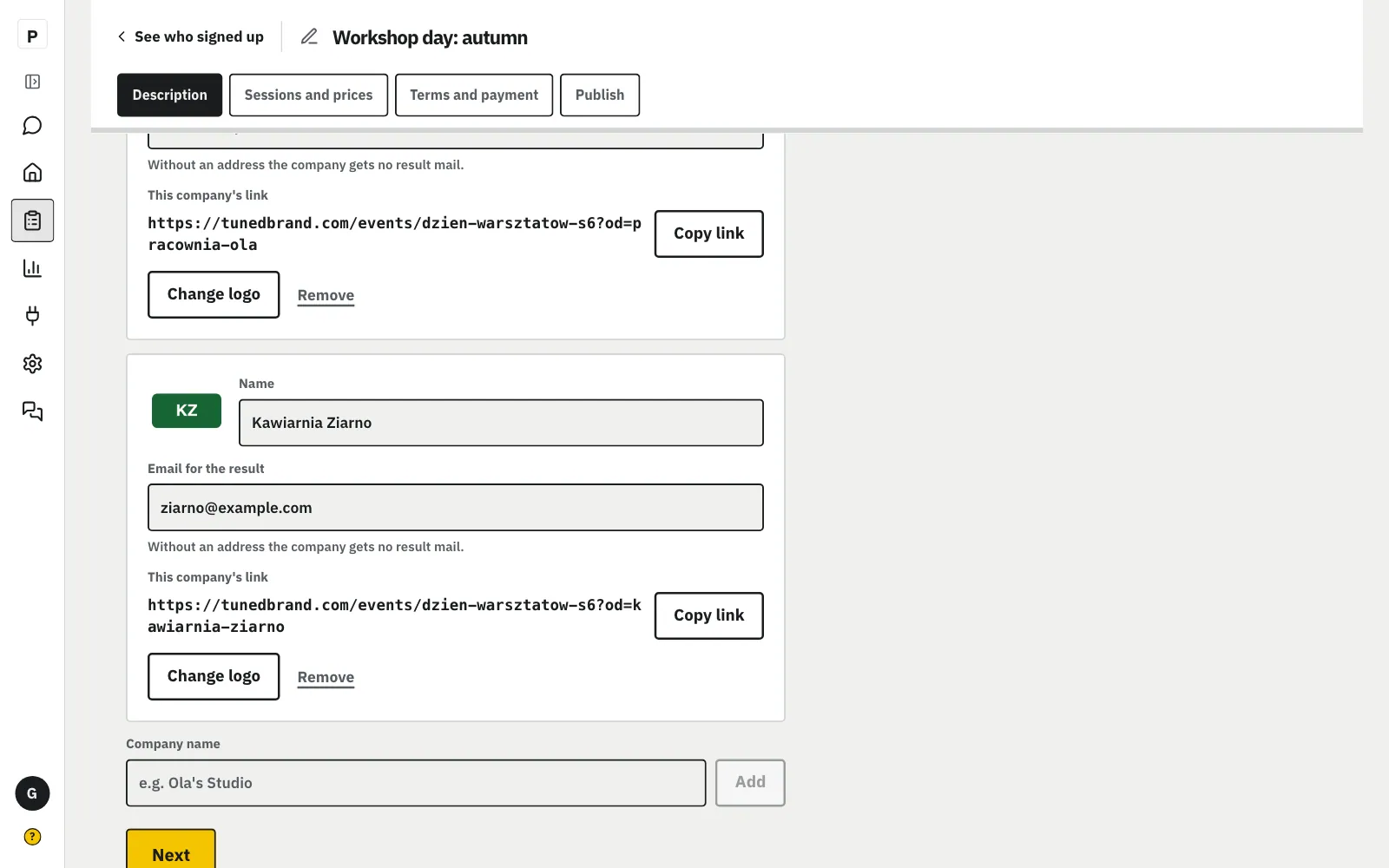
You can add up to 6 companies. For each one you can change the name, add a logo (PNG, JPG or WebP up to 512 KB) and type an email. Every change saves at once. “Remove” takes the company and its logo away; the guests' sign-ups stay.
In the panel's chat write e.g. “we're running the workshop day together with CHAOS and KN” and click “Yes, add”.
MoreLess: Or write in the chat
The chat adds the companies to the event from your list, each name once. Under the change there is “Undo this change”. Remove a company with “KN no longer co-hosts”. Add logos and result emails later in the editor.
Or write in the chat
In the panel's chat write e.g. “we're running the workshop day together with CHAOS and KN” and click “Yes, add”.
The company gets a mail with its result at this address after the event.
MoreLess: Type the “Email for the result”
Without an address the company gets no mail, but you still see its result on the sign-up list. Guests never see the address.
Once published, each company has “This company's link”: click “Copy link” and send it to that company.
MoreLess: Send each company its link
The company puts its link in a post, a story or a newsletter. A sign-up counts for the company whose link the guest came by first: if they later open another company's link, the sign-up stays with the first one. The link keeps working after you rename the company.
Under the organizer's name the guest sees “Together with” and each company's logo with its name.
MoreLess: What the guest sees
The guest signs up as for any event. They don't see whose link they came by, nor the companies' addresses.
On the sign-up list, under “Who brought guests”, you see how many people signed up from each company's link.
MoreLess: Who brought guests
Confirmed sign-ups count. “First time” is people who haven't been to any of your events before and didn't ask for news about your events. Under the list is the total of confirmed sign-ups, including those without a company's link. You can copy each company's link here too.
The morning after the event Tuned sends each company with an address a mail with its result.
MoreLess: The result mail after the event
The mail has numbers only: sign-ups from its link, how many of them were first time, and how many people came in total. No guests' names or addresses. The mail comes from your company, and replies go to you. You see this step in “What Tuned will do” for the event, with a preview and a switch.