For companies
One vote per flat
Slips with one-time codes for the mailboxes: one flat sends one vote, and the answers stay anonymous.
Steps
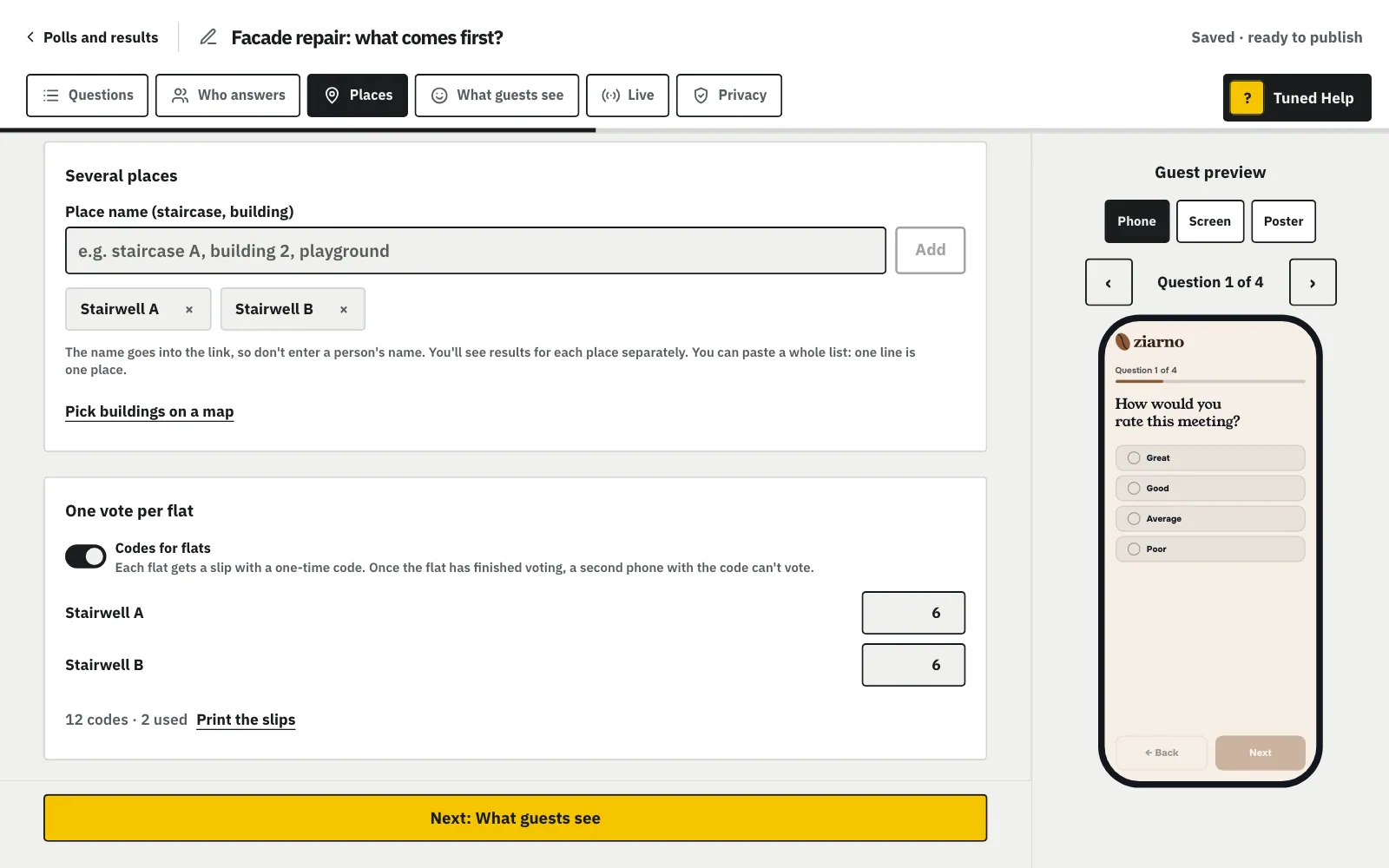
In the “Who answers” step pick “Anyone with the link”, then in the “Places” step turn on “Codes for flats”.
MoreLess: Turn on codes for flats
Codes work in an “Anyone with the link” poll without “One device, many people”. In the “Places” step, under the list of places, turn on “Codes for flats” and type how many flats each place has (each stairwell, for example), or one number when the poll has no places. The codes are made as soon as you leave the field.
Click “Print the slips” and put one slip in each mailbox.
MoreLess: Print the slips
A slip has the company's name, the poll's title, the code and a QR that opens the poll with the code filled in. Ten slips fit on an A4 page. Used codes are left out, so a reprint gives only free codes. After publishing, open the slips from “Share”: “Slips and number of flats”.
The resident scans the QR or opens the link and types the code from the slip.
MoreLess: A resident votes with the code
Until a flat answers the last question, it can finish on another device with the same code. After the last answer the code stays in that browser: the answers can still be changed there, and another phone with the code can't vote. You only see which codes are used, never what a flat answered.
On the slips page type a new number next to a place (e.g. “Stairwell A”), and the new codes are ready to print.
MoreLess: Change the number of flats
Each place has its own field with its number of flats; a poll without places has one “Number of flats” field. You can change the number in a live poll too. More flats add codes. Fewer flats remove the newest unused codes and leave used ones alone. In a recurring poll the next round takes the same codes, all free again, so the slips in the mailboxes work in every round.