For companiesOn a computer
On a computerWhat Tuned will do for a workshop
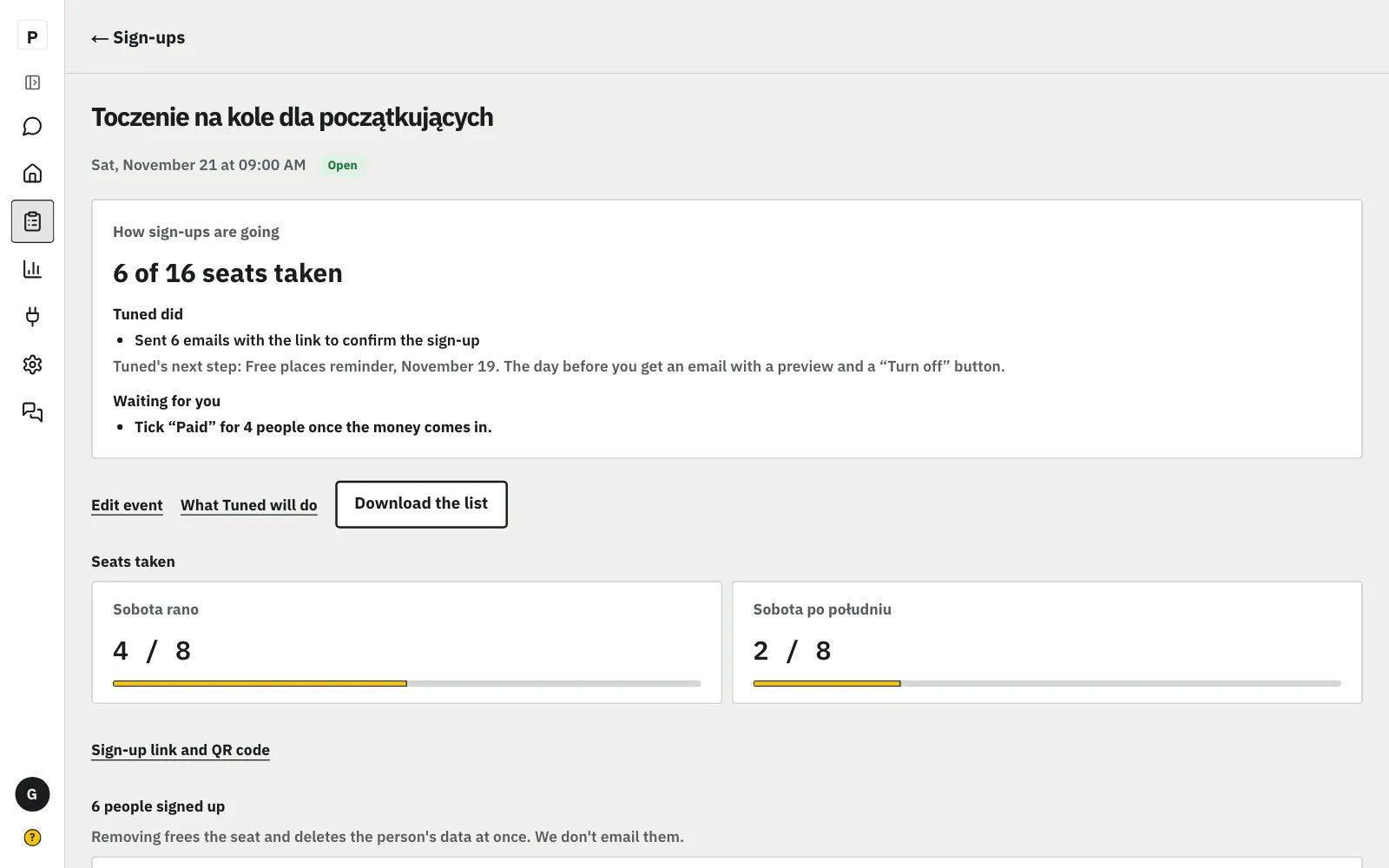
Once sign-ups are published, Tuned plans its steps: a free places reminder and a feedback poll after the workshop. You see each one with its date and a preview, and turn off the ones you don't want.
Steps
In Sign-ups, open the event and click “What Tuned will do”.
MoreLess: Open the event's plan
The plan shows the steps in order, each with its day. The steps appear by themselves when you publish the event. The steps of every event in the next 7 days are in the Sign-ups menu, under “What Tuned will do”.
Each step goes out by itself on the morning of its day, unless you turn it off.
MoreLess: What each step does
Steps are on from the start. On this screen, “Tuned Help” in the panel menu shows them one by one on the real buttons.
- Free places reminder
- 2 days before the workshop, only when places are free: an email to people who want to hear about your events, plus a post and a story to paste.
- Feedback poll to participants
- An hour after the workshop ends, to people with a confirmed sign-up.
- Draft of the next workshop
- From that poll's answers Tuned makes a draft of the next workshop in Sign-ups, with its level and date. Nobody sees it until you publish it.
“See the story and post and email” shows the exact texts and how many people get the email.
MoreLess: See what goes out
The reminder goes 2 days before the workshop, only when places are free, and only to people who agreed to hear about your events. You get the story and the post ready to paste.
The switch next to a step turns it off. Click again to turn it back on.
MoreLess: Turn off a step you don't want
You can change a step while it waits for its day. One that already went out only shows its state: “Done” and how many people it reached.
The day before a step you get an email with a preview and a “Turn off” button, and after it a “Done” email.
MoreLess: The “Tomorrow Tuned” and “Done” emails
Nothing to do: if you don't turn it off, Tuned does it by itself on the step's morning. “Turn off” in the email works without signing in and turns off only that one step. “Done” says how many people got the reminder and has the story and post to paste.
Type “Stop Tuned” in the chat, or use the “What Tuned does by itself” card in Settings.
MoreLess: Stop all of Tuned
Tuned then sends and opens nothing on its own, and polls keep collecting answers. “Start Tuned” in the chat or “Resume” on the card turns it back on.