For companies
Privacy and publishing
Who sees the results, from how many answers and how long we keep the data.
Steps
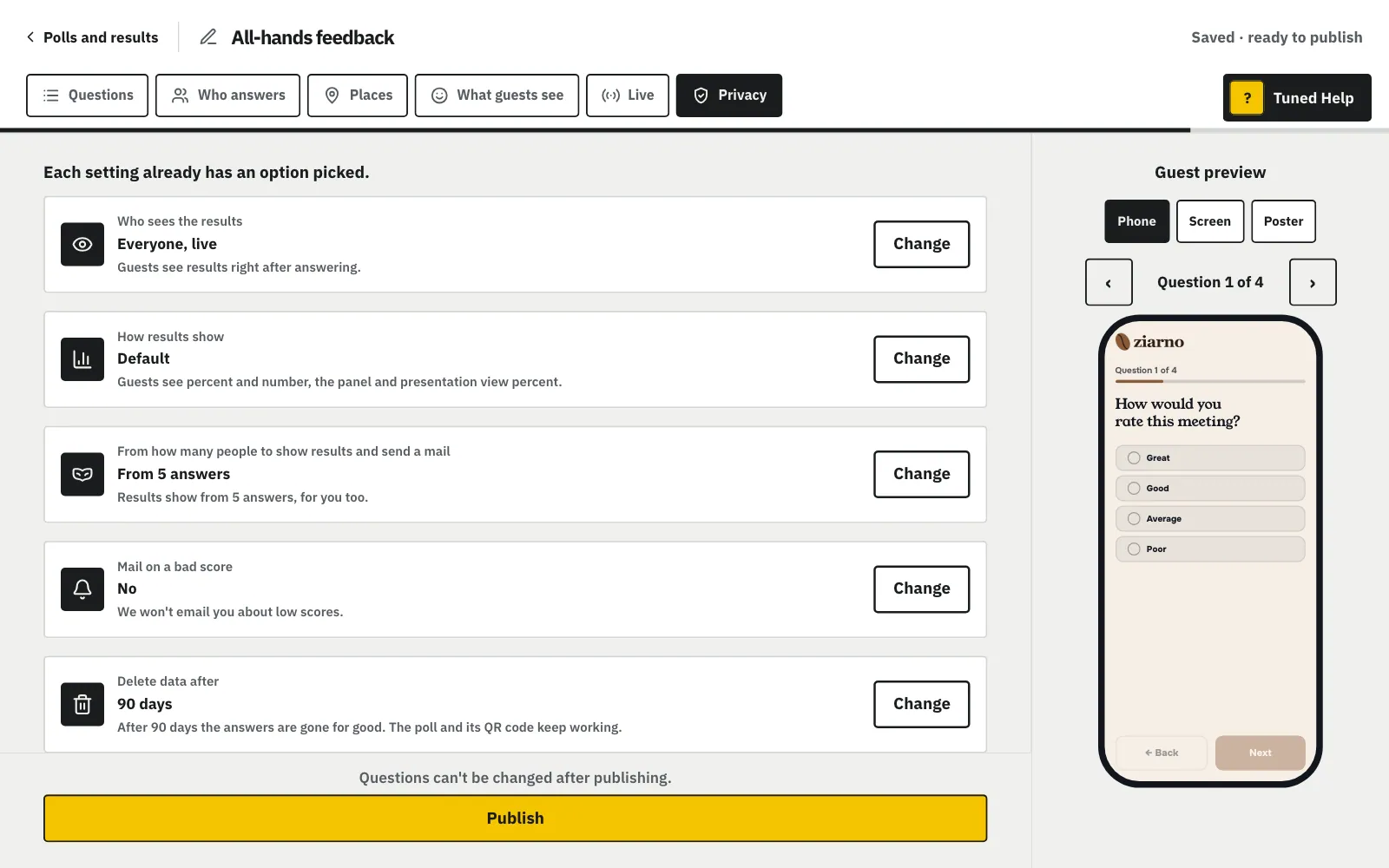
Decide who sees results: only you, participants after it closes, or everyone live.
MoreLess: Who sees the results
Below it, “How results show”: percent, the number of answers or both, on guest results, in the panel, in presentation view, slides and the goal mail. You can also change it after publishing, in the poll's options. Only you, participants after the poll closes, or everyone live. With "Everyone, live", guests also see how others answered after each pick. With "Only me", presentation view shows the room only the count, and you can't change it after publishing. "For a team" sets start with "Everyone, live".
Set an answer threshold, ideally 5, so no one can be identified.
MoreLess: Anonymity
We show results only from the number of answers you choose. We recommend 5, so no one can be identified. Working with health data? Turn on “Health data” in Settings and the threshold stays on for good.
Choose after how many days the answers delete themselves.
MoreLess: Delete data after
The answers are deleted 30, 90 or 180 days after they came in, or with your consent after 1, 2 or 5 years. The poll and its printed QR code keep working, and new answers get their own date.
Type your own time to fill it in; guests see it at the first question.
MoreLess: How long does it take?
Tuned suggests a range, e.g. “4 to 6 min”. In the “What guests see” step you can type your own: “3 to 5 min” or “one coffee”. Guests see it at the first question.
How long does it take?
Type your own time to fill it in; guests see it at the first question.
Check the questions before clicking “Publish”, because you can't change them afterwards.
MoreLess: Tap “Publish”
The button is under the column on the last step (on a phone at the bottom of the screen). The poll gets a link and a QR code, and the “It's live!” window opens by itself, with a ready invite to send. After publishing, you can't change the questions.