For companiesOn a computer
On a computerNext rounds
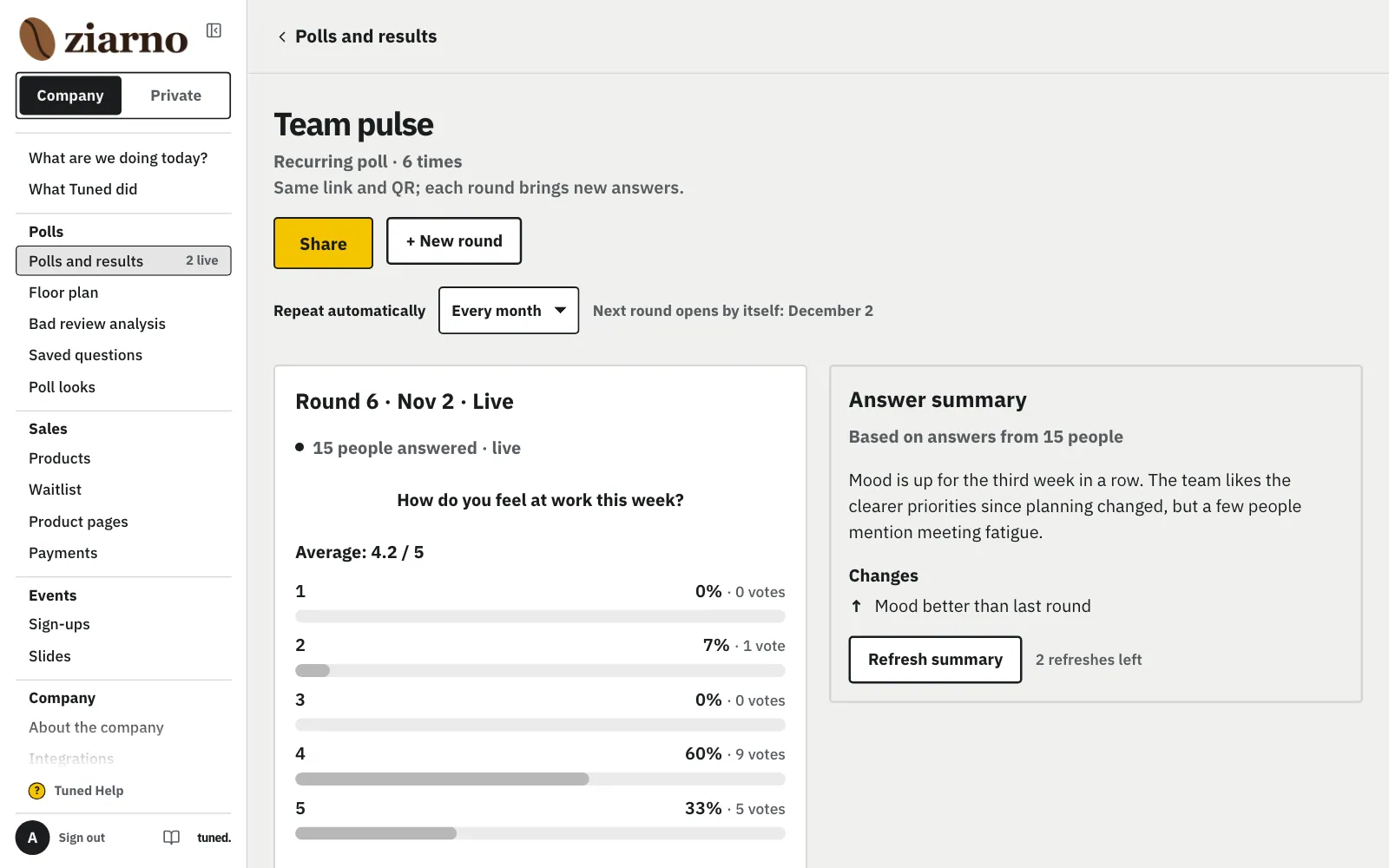
A published poll goes on at the same link and QR: a new round built on what the answers showed, results by round and a trend.
Steps
On the poll's page, under the answer summary or by the poll in the list, click “Ask again”.
MoreLess: Ask again after publishing
It works for any published or closed poll, even long after it started. We ask first: “This closes the current questions…”. After “Let's start” the poll closes and becomes round 1, the AI analyses the answers, and round 2 opens with the previous questions (conditions kept) and suggestions from the findings. The link and the printed QR stay the same: until round 2 is published, guests see “wait for the next one”. The invite to round 2 says it is a new round.
On the poll's page pick every week, month or quarter in “Ask on a schedule” and click “Turn on”.
MoreLess: Ask on a schedule
It's a separate, optional choice. The poll stays open and becomes round 1 at the same link, and the series page shows the rounds and the schedule. When it's time, we open the next round ourselves: the previous one closes, the questions stay the same (with conditions, no AI additions), and the round is a test only if the previous one was. You get a “Round N is open” email with links to fix a question or close the round in the first hour. For eNPS the poll page suggests “Repeat every quarter” right away. Change or turn off the schedule on the series page (“No, rounds by hand”).
Tap “+ New round” before the meeting, and people answer through the same link and QR.
MoreLess: New round
Tap “+ New round” before the next meeting. The link and QR stay the same, and the round keeps the questions and settings of the one before: who answers, the goal, privacy and the ending. The AI's suggestions come at the end, and you change the title and the welcome text before publishing. Open a recurring poll from the poll list: its row leads to its page: “Share” shows the link and the QR code, all rounds are below.
Compare rounds on the chart, and the answer summary suggests themes and questions for the next one.
MoreLess: Results day by day and answer summary
The chart shows how answers change from round to round. The answer summary gathers themes, what to do and suggested questions for the next round.