For companiesOn a computer
On a computerA workshop from one sentence
Write one sentence about the workshop in the panel chat. Tuned sets up the sign-ups, and after “Publish sign-ups” gives you the link, an A4 poster and a post's text.
Steps
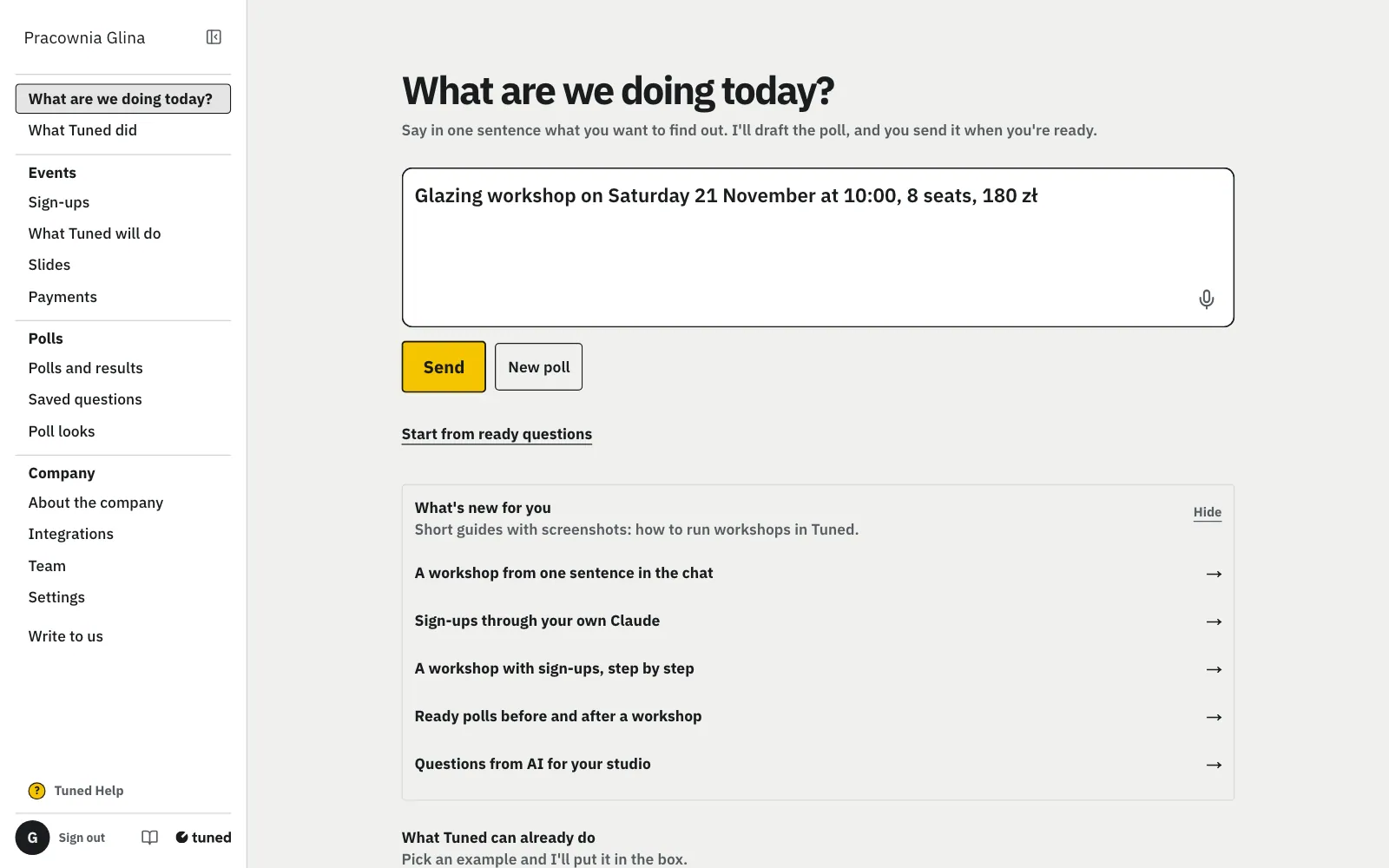
On the panel's first screen, in “What are we doing today?”, write what, when, how many seats and the price. Click “Send”.
MoreLess: Write one sentence
For example “Glazing workshop on Saturday 21 November at 10:00, 8 seats, 180 zł”. The chat asks only for a missing date or time, and the card for a missing place or end time. It never asks for the price or seats: without a number the event has 10 seats, and you add the rest in the editor.
The chat shows a card: title, when, where, seats and price.
MoreLess: Check the card
It's a draft: nobody sees it yet. Something wrong? “Change in the editor” opens the same draft in Sign-ups, with sessions, terms and the note after signing up.
Click “Publish sign-ups”: sign-ups are open and the card shows the link.
MoreLess: Publish the sign-ups
For the company's first event you tick the organizer terms and the data processing agreement above the button. Once per company.
“Download poster” saves an A4 poster with a QR code, ready to print.
MoreLess: Download the poster
The poster has your logo, the title, day and time, seats and price, and a big QR code with “Scan to sign up”. Put it up in the studio or at the till. You can download the same poster later in Sign-ups with “Download A4 poster”.
Under the poster is a ready post with the link. Click “Copy text” and paste it on Instagram or Facebook.
MoreLess: Paste the post's text
The text has the title, day, seats, price and link, and ends with “Sign-up link in bio”, since a link in an Instagram post can't be tapped. “See who signed up” opens the event's list.
Name a series of meetings on different days or in different places in the same sentence: the card shows each meeting.
MoreLess: Several meetings in one sentence
For example “Wheel throwing for couples: Thursday 26 November and Thursday 3 December, 18:00 to 21:00, 8 seats, 200 zł”. You get one event, and each meeting has its own session and option with its day, hours, place and price. A guest picks the meeting when signing up. The poster and the post give the places for each date.
In “What are we doing today?” write what to change, e.g. “Move wheel throwing to 20.11”. Click “Yes, change it”.
MoreLess: Change the event in the chat
The chat changes the date, the time, the places in each session, the price and the description. Before saving it asks with “it was, it will be”, since guests see the change at once. After the change “Undo this change” brings back what was. The chat refuses fewer places than people signed up, or a date in the past.
Write e.g. “Who signed up for wheel throwing?”: the chat shows who signed up and who paid. Mark “Ania paid” with “Yes, paid”.
MoreLess: Sign-ups and payments in the chat
The list has each name, the chosen option and paid or not, with the number signed up and paid above it. “Give me the payment link” gives the event's payment link when payment by link is on. The list and the link come from the sign-ups panel, not from the AI's memory. You undo Paid in the event's panel.
Write e.g. “Give me the link and QR for wheel throwing”: the chat shows the link, the QR code and the A4 poster, as the sign-ups panel does.
MoreLess: Link and QR code in the chat
“Make a poster and a post” adds a ready post text. A poll works the same way: “give me the link and QR for the poll”. When sign-ups are a draft or closed, the chat offers to publish or open them instead of a link.
Write e.g. “Delete wheel throwing”. The chat always asks, and says how many people signed up. Click “Yes, delete”.
MoreLess: Delete an event or set its terms
The event goes with its list of sign-ups, nobody is told and it can't be undone. Set the terms in the same chat: “terms: studio.com/terms”. The chat asks as for any change of an event, and “Undo this change” brings back what was.